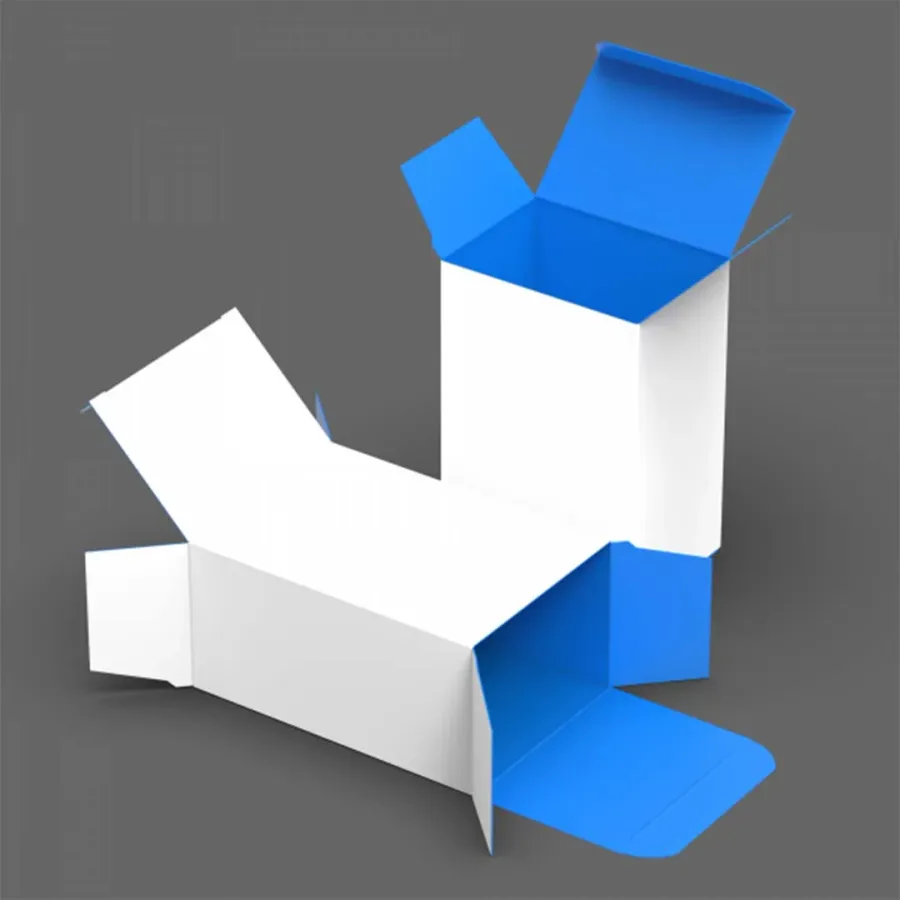
Tuck Box Artwork: Dielines, Bleed and Panel Order
Setting artwork on a tuck box dieline so panels, flaps and glue areas line up.
By the Tuck Boxes carton desk · Updated
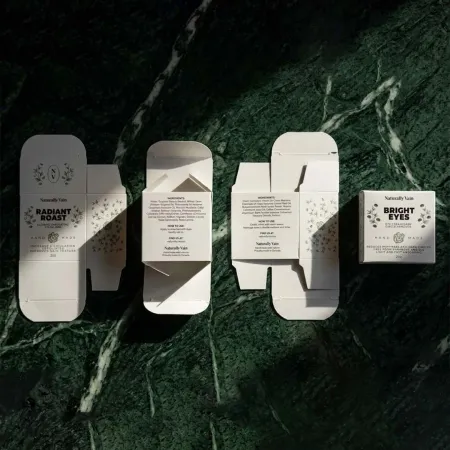
What is a dieline?
A dieline is the flat drawing of your carton before it is cut and folded. It shows every edge the cutting forme will cut, every line it will crease and the area where glue goes. Your artwork sits on top of it.
Most dielines use a simple code. Solid lines are cuts, dashed lines are creases, and a shaded strip marks the glue flap. The dieline sits on its own layer and never prints. Each of the tuck end box styles has its own dieline shape.
Always build artwork on the dieline drawn for your exact size. A dieline from a similar box can be a few millimetres out, and that is enough to push text onto a fold.
- Cut line: the outer edge of the carton and any window or thumb notch.
- Crease line: where the board folds, between panels and flaps.
- Bleed line: usually 3 mm outside the cut, where artwork extends.
- Safe line: usually 3 to 5 mm inside the cut, where text should stay.
In what order do the panels sit?
On a flat tuck box, the main panels run in a strip. A common order is glue flap, side panel, front, side panel, back. The tuck and dust flaps sit above and below that strip. Exact order varies by style, so always work on the dieline for your box.
The table shows what usually goes on each panel and what to watch.
| Panel | Usually carries | Watch for |
|---|---|---|
| Front | Logo, product name, key message | Keep it clear of a window and the hang tab hole |
| Back | Description, directions, contact details | Text 3 to 5 mm in from every edge |
| Side panels | Barcode, size, batch area | Narrow panels need larger text margins |
| Top tuck flap | Pattern or short message | It is hidden once the box is closed |
| Dust flaps | Background colour only | Usually unseen, so keep detail off them |
| Glue flap | Nothing | Leave clear of ink and lamination |
On a tuck top box the layout is different. The lid, front tuck and dust flaps sit on the long side, so the front panel is often the lid itself.
How much bleed and safe area do you need?
Bleed is artwork that runs past the cut line. It is usually 3 mm. The cutting forme can shift by a fraction of a millimetre, and bleed stops a thin white edge appearing.
The safe area works the other way. Keep text and logos usually 3 to 5 mm inside every cut line and about 2 to 3 mm away from creases. Board stretches slightly at a fold, so text on a crease can look bent.
On narrow panels, such as the sides of custom printed lipstick boxes, that margin takes up a larger share of the space. Plan text sizes with it in mind.
Why must the glue flap stay clear?
Carton glue bonds best to bare board. Ink and especially lamination stop it gripping well. So the glue flap and the matching strip on the panel it meets are normally knocked out. That means no print and no film there.
A glue flap is often 12 to 15 mm wide. Our designers mark the glue area on your proof, so you can see exactly where print stops.
The same applies to any part of the inside that meets glue, such as the base flaps of an auto bottom carton. Our designers handle those areas on the dieline.
Which way up should the artwork be?
Panels on the strip all read the same way up. Flaps are different. A top tuck flap folds over. Anything printed on it reads upside down on the flat sheet, compared with the main panels.
On a reverse tuck end, the top and bottom closures hinge from opposite panels. Check each flap's orientation separately. Hang tabs follow the same idea. The hole sits on a header above the top tuck, as on our hang tab tuck boxes.
A quick check is to print the flat proof at full size, cut it out and fold it. Ten minutes with scissors shows any upside-down panel at once.
How should you set up the file?
- Ask for the dieline for your exact size and style, then place it on its own top layer.
- Set the document to CMYK, with images at 300 dpi at full size.
- Extend backgrounds 3 mm past every cut line.
- Keep text 3 to 5 mm inside cuts and clear of creases.
- Use 100% black for small text, and a rich black only on large solid areas.
- Turn type into outlines or embed the fonts.
- Put foil, spot UV or embossing on separate layers, each filled with one solid spot colour.
- Save a print-ready PDF with the dieline layer visible but marked not to print.
Text smaller than about 6 pt, or lines finer than about 0.25 pt, can fill in or break up on board. Keep detail a little heavier than you would for paper.
Where should a barcode go?
Barcodes scan best printed in solid black on a white or very pale background. Keep the white margin each side of the bars, called the quiet zone, free of any other artwork.
Never place a barcode across a crease or close to a cut. A gap of about 10 mm from any fold is a safe habit. A side or back panel is the usual place.
Print the barcode at its full intended size. Shrinking it to fit a narrow side panel can stop it scanning. If a panel is too small, move the barcode to the back.
Why do printed colours differ from the screen?
A screen mixes light, while a press mixes ink on board. Bright screen colours, especially vivid greens, blues and oranges, often print a little duller in CMYK. The board colour changes the result too.
Check colours in CMYK before you send the file, not only in RGB. If one colour must match closely, such as a brand shade, mention it in your brief. It can then be quoted as a spot colour.
Lamination also shifts colour slightly. Gloss deepens it, while matt and soft touch soften it. Allow for that when you judge a proof on screen.
How do windows and finishes change the artwork?
A die-cut window is a cut line inside a panel. Keep artwork that frames it at least 3 mm back from its edge. Keep the window itself 8 to 10 mm clear of creases. The product behind becomes part of the design, so plan the front panel around it.
Foil and spot UV need their own layers so the press can make a separate plate or forme for each.
Each finish has its own artwork rules, and the guide to tuck box finishes takes them one by one.
What happens if you only have a logo?
That is fine. Our designers place your logo and text on the dieline for free and send a proof. You can also try a layout first in Design Your Box with your logo.
The proof is the point to check every panel, flap and glue area before anything is printed.
Approving the proof starts production, which takes 4 to 6 business days. Take the time to read every panel before you say yes.
- Check spelling on every panel, including the sides.
- Check nothing important sits on a tuck or dust flap.
- Check the barcode is on a flat panel, clear of folds.
- Check colours on a printed sample if exact matching matters.